Blog
Get Pay Right on ADP Workforce Now® Next Gen™
Bringing trusted compensation intelligence and seamless planning to even more ADP users.
Written by Salary.com Staff
November 01, 2024

According to recent reports from the U.S. Census Bureau, the number of remote workers more than tripled from 2019 to 2022, rising from 5.7% to 17.9% and adding nearly 19 million workers. This shift required HR managers to update payroll systems and develop strategies on how to pay remote employees across different locations.
In today's job market, remote work has become common in many industries. A study shows that the number of remote workers is expected to nearly double in the next five years. By 2025, 36.2 million Americans will be working remotely, an increase of 16.8 million from pre-pandemic levels.
This article discusses effective ways to pay remote employees, important tax implications to consider, and steps on how to use Salary.com's Compensation Planning Software for payroll.
Remote pay is the compensation for employees who work outside a traditional office, such as from home or a co-working space. It usually follows the same salary structure as in-office employees but may include extra allowances for remote work expenses, like internet costs or home office setups.
To determine compensation for remote employees, companies typically follow industry standards based on their location. Some set salaries at the 65th percentile for each position, considering the cost of living and industry standards. This means they aim to pay more than 65% of similar roles in the market, helping them stay competitive and attract potential hires.
Compensating remote employees is now simpler than ever with the right solution. Salary.com's Compensation Planning Software allows users to efficiently manage employee compensation, streamline payroll processes, and generate accurate reports.
Before you learn how to pay remote employees, it is important to identify the different types of remote workers to ensure your compensation strategy fits their specific roles.
Full-time remote employees: These individuals work full-time for a company but do so from a location outside the company's main office.
Contract-based remote employees: These employees are temporarily hired to complete a specific project or task.
Freelancers: Independent contractors provide services to multiple clients for specific projects.
Part-time remote employees: Employees who work less than full-time, usually 20-30 hours a week.
The requirement for companies to pay remote workers depends on state laws, as US federal law does not require employers to cover work-related expenses. Some states have laws that outline when employers must pay for expenses related to working from home.
Only 10 states or regions (California, Iowa, Illinois, Massachusetts, Montana, New Hampshire, North Dakota, South Dakota, the District of Columbia, and Seattle, Washington) require employers to reimburse business expenses. These expenses include:
Home office costs
Cell phone and internet plans
Phone bills
Personal computers
Online conferencing tools
Printer supplies
Basic office supplies
Paying remote employees is often more complex than paying on-site workers. Here are five quick steps on how to pay remote employees using Compensation Planning Software:
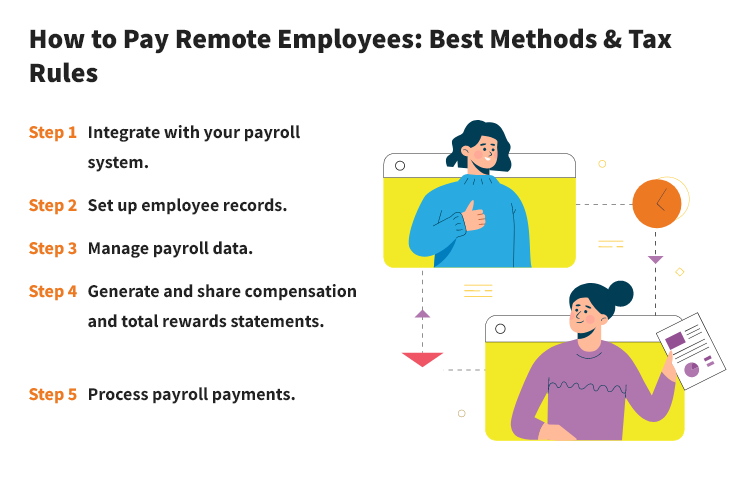
Integrate your payroll or core HR system with the tool. Compensation Planning Software allows managers to easily import data from various systems, either manually or automatically. You can set up exports to work smoothly with payroll processes. The software accepts file formats like XLS, XLSX, CSV, and TXT.
Make sure to accurately enter all required employee information into the software, including name, job title, salary, and department. Also, input any extra compensation details, such as merit and target bonus percentages.
After setting up employee records, regularly update compensation data in the tool's dashboard. This includes changes to salaries, bonuses, or deductions. Keeping all information current ensures accurate payroll processing.
Use the tool to create compensation statements and total rewards statements for each remote employee. These statements should include base salary, benefits, and other compensation details. Sharing them improves transparency and helps employees understand their overall compensation package.
Process payroll payments through your integrated payroll system. Ensure that all calculations are correct and that payments are made on time. Confirm that employees receive their salaries via their preferred payment methods, which may include direct deposit or electronic payment platforms.
Now that you know how to pay remote employees, let’s tackle how remote workers get paid. Here are five important payment methods for companies to consider:
Direct bank transfers
Paying remote workers by direct bank transfer is simple. Employers send money straight to the worker’s bank account, whether it's local or international.
Pros: Secure, reliable, and often free.
Cons: Can take time, especially for international transfers.
Online payment platforms
Online payment platforms like PayPal and TransferWise make it quick and easy to send payments internationally. International employees can receive money in their local currency, often with lower fees than bank transfers.
Pros: Fast, easy to use, and often have good exchange rates.
Cons: May include transaction fees.
Payroll services
Payroll services simplify payments for companies with remote workers. Tools like Compensation Planning Software handle tax withholding, compliance, and benefits, making sure workers are paid on time.
Pros: Automated, accurate, and handles complex payroll needs.
Cons: May have subscription fees.
Prepaid debit cards
Some companies use prepaid debit cards to pay remote workers, especially in places with limited banking options. Employers add money to the card, and remote teams or workers can use it for online or in-store purchases.
Pros: Convenient for workers in areas with limited banking options.
Cons: There may be fees for adding money and using the card.
Payroll taxes for remote employees can be complicated, and it is important to understand that federal and state tax laws are different.
Remote employees pay federal income tax based on where they work, not where their employer is located. For state taxes, if an employee lives and works in the same state, they will be paying taxes there. If they live in one state and work remotely for a company in another, they might need to file tax returns in both states.
Some states have reciprocal tax agreements to avoid double taxation. These agreements let residents pay taxes only in their home state, even if they work in another state. For example, a remote team living in New Jersey who works for a company in Pennsylvania usually pays taxes only to New Jersey.
States like Texas, Florida, and Washington do not have state income taxes, so employees keep all their earnings. In contrast, employees in states like New York and Connecticut may owe taxes to the employer's state if they work remotely for personal convenience. This is determined by the "convenience of the employer" test, which assesses whether remote work benefits the employer rather than the employee.
Moreover, if an employee works temporarily in another state, they might need to file a nonresident tax return, depending on how long they work there and that state's laws. Many states allow a certain number of working days without creating tax obligations, so it is important for employees to check the specific rules.
In terms of local laws, local income taxes add complexity to multi-state payroll taxes for remote workers, as some areas require additional withholdings, deposits, and filings, which employers must handle along with state tax obligations.
Knowing how to pay remote employees is critical for compliance with labor laws, employee satisfaction, and a productive work environment. Therefore, companies need a reliable tool to streamline their payroll processes and ensure accuracy. Luckily, Salary.com's Compensation Planning Software is here to help.

The latest research, expert advice, and compensation best practices all in one place.
Blog
Bringing trusted compensation intelligence and seamless planning to even more ADP users.

Blog
Learn how to train managers for effective pay conversations and build trust.

Blog
Total rewards package flexibility lets employees choose what matters - pay, perks, and benefits tailored to their needs.