The Proper Email Format in 2025: Importance, Examples & FAQs
Written by Salary SpecialistNovember 20, 2025
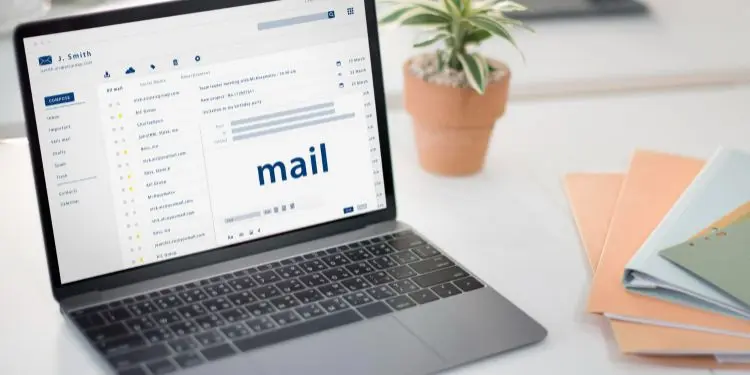
Starting a blank email can feel intimidating. You know what you want to say, but putting it into a clear, professional message can be tricky. Remember, even a great idea can be misunderstood if the email isn't well structured.
Think of an email like a puzzle-subject line, greeting, body, and closing all fit together to create a message that is easy to read and effective. Tone, clarity, and organization also make every email successful.
Keep reading to learn how to format emails that get noticed and read. This guide also explains the correct email format in 2025, with examples and why proper email format matters.
What is an email format?
An email format refers to the structured way an email is organized. The main goal of using a proper email format is to make the message clear, professional, and easy for the recipient to read and understand.
Typically, it includes a clear subject line, greeting, email body, and closing, with each part serving a purpose. The subject gets attention, the greeting sets the tone, the body explains the message, and the closing leaves a good impression.
Why does using a formal email format matter?
Using a formal email format is important because it shows professionalism, clarity, and respect. In an interview with Time.com, Michael J. Meredith, clinical associate professor of management and communication at the University of North Carolina, said that using the right greeting and following "traditional business etiquette" helps build credibility and respect from the start.
Meanwhile, Daniel Couladis, associate director for career curricula and communications at Georgetown University's McDonough School of Business, noted that matching the recipient's tone, keeping emails brief, and stating clear deadlines improve effective communication and relationships.
What is the proper format for an email?
As mentioned, a professional email format presents your message clearly. To communicate clearly, here are the key elements of a well-formatted email:
1. Subject
The subject line tells the reader what the email is about. Keep it short, clear, and focused on the main purpose, and avoid unclear subjects like "Hi" or "Question." Remember, a good subject helps the reader know why the message is important. Examples include:
- Project update
- Schedule change
- Request for approval
- Training follow-up
- Invoice question
- Team update
2. Greeting
A greeting sets the tone of the email and shows respect to the recipient. Use a professional greeting that matches your relationship with them. Examples include:
- Dear [Name],
- Hi [Name],
- Good morning, [Name],
Keep in mind to avoid using overly casual greetings like "Hey" or skipping the greeting altogether, as they may sound unprofessional. Always address the person using the correct title, such as Ms., Mr., or Dr.
3. Opening lines and body
The opening lines introduce the purpose of the email, while the body provides more details. Be clear and direct, avoid unnecessary jargon, and organize your message into short paragraphs or bullet points for easier reading.
Example: I hope you're doing well. I am writing to share an update on the upcoming project timeline.
According to Daniel Couladis, it helps to match the tone of the person you are emailing. For example, if the recipient uses emojis or a friendly tone, you can mirror that style. Couladis adds, "It's good to analyze your surroundings and the context and adjust your style accordingly."
4. Closing
The closing signals the end of the email and may include next steps or appreciation. Common examples include:
- Thank you,
- Best regards,
- Sincerely,
- Kind regards,
As per Couladis, using "regards" is standard in professional emails. He adds that once you know the recipient better, you can use "best regards" or "warm regards" for a friendlier tone. "Best" is more casual, while "sincerely" can sound too formal.
5. Signature
A professional email signature provides your contact details and position. It helps the reader identify who the email is from and how to reach you. Include your full name, job title, company, and contact information.
Here's a good example:
John Mayer
Content Editor
Nyle Inc.
maria.santos@nyleinc.com | (888) 321-7654
Formal email template
Here's a simple guide to help you write a clear and professional email.
Subject: [Short summary of your message]
Dear [Recipient's name],
[Start with a polite opening line.]
[Explain the main reason for your email in one or two short paragraphs. Keep your message clear and to the point.]
[If needed, mention what action or response is expected.]
[End with a polite closing line.]
Sincerely,
[Your name]
[Your position]
[Your company]
[Your contact information]
6 formal email examples
Here are some examples of formal email formats for different purposes in the workplace:
1. Project update
Subject: Project Update: Website Redesign Progress
Dear Mr. Santos,
I would like to provide an update on the website redesign project. The homepage layout and navigation structure have been finalized, and the design team is now working on the mobile version. Content migration is scheduled to begin next Monday.
A full progress report will be shared during Friday's meeting. Please let me know if there are any changes you want to include before then.
Sincerely,
Maria Lopez
Project Coordinator
ABC Corporation
2. Schedule change
Subject: Schedule Change for Monthly Performance Review
Dear Ms. Rivera,
Please note that the monthly performance review meeting has been rescheduled from October 10 to October 11 at 3:00 p.m. The meeting will still be held in Conference Room B.
Kindly confirm your availability for the new date.
Sincerely,
David Reyes
Operations Manager
XYZ Company
3. Request for approval
Subject: Request for Approval: Updated Marketing Materials
Dear Mr. Cruz,
I am requesting your approval for the updated marketing materials for the Q4 campaign. The new versions include revised product descriptions and pricing details based on your previous feedback.
The files are attached for your review. Once approved, we will proceed with printing and digital uploads by Friday.
Sincerely,
Angela Torres
Marketing Specialist
BrightWorks Inc.
4. Training follow-up
Subject: Training Follow-Up: Data Privacy Session Completion
Dear Ms. Gomez,
I am following up regarding the data privacy training held on October 3. Kindly confirm if all members of your department have completed the post-training quiz. The HR team will finalize the attendance records by the end of the week.
Please let me know if any employees need additional support or access to materials.
Sincerely,
Carlos Fernandez
HR Officer
Delta Enterprises
5. Invoice question
Subject: Invoice Question: Clarification on Invoice #4521 Dated October 1
Dear Mr. Navarro,
I am reviewing invoice #4521 received on October 1 and noticed a discrepancy in the total amount. The invoice shows an additional charge of $350 for maintenance services not listed in the original quotation.
Could you please clarify this adjustment and send a revised copy if necessary?
Sincerely,
Julia Reyes
Finance Associate
GlobalTech Solutions
6. Team update
Subject: Weekly Team Update: October 7-11
Dear Team,
Here is the update for this week:
The final client proposal will be submitted by Wednesday.
The testing team will complete the quality review by Thursday.
A short feedback meeting is scheduled for Friday at 2:00 p.m.
Please inform me of any delays or concerns so we can adjust the timeline if needed.
Sincerely,
Miguel Santos
Team Lead
InnovateWorks
FAQs
Here are some common questions asked by many related to email format:
What is the standard email format?
A standard email format includes a clear subject, a polite greeting, a short opening, the main message, a closing line, a professional sign-off, and your contact details.
What are some common email format mistakes to avoid?
Some common email format mistakes to avoid include using vague or missing subject lines, skipping greetings, writing long or unclear messages, using informal language, forgetting a closing or signature, and sending emails with typos or formatting errors.
Is @gmail an email address?
Yes, @gmail.com is part of an email address. It shows that the email is hosted by Google's Gmail service. For example, in the address john.constantine@gmail.com, "john.constantine" is the username, and "@gmail.com" is the domain
Are email and Gmail the same?
No, email and Gmail are not the same. Email is a general way of sending and receiving digital messages over the internet, while Gmail is a specific email service provided by Google. In professional settings, it is better to use a professional email address that shows your name or company.

Learn how to start a conversation with 15 simple strategies and good conversation starters that boost confidence and build professional connections.

Here are some professional email greetings and tips to set the right tone, show respect, and create a positive impression in workplace communication.

Learn about professionalism in the workplace, its importance and examples in the company culture, and tips on how to be professional at work.
Learn how the 9/80 work schedule works, its benefits, drawbacks, and why it's a popular choice for work-life balance.

Are you stuck with a job you hate? Learn to cope with stress, avoid burnout, and plan your next career to move without harming your well-being.

Here are some condolence messages for a coworker, ranging from professional and simple to more personal and heartfelt.